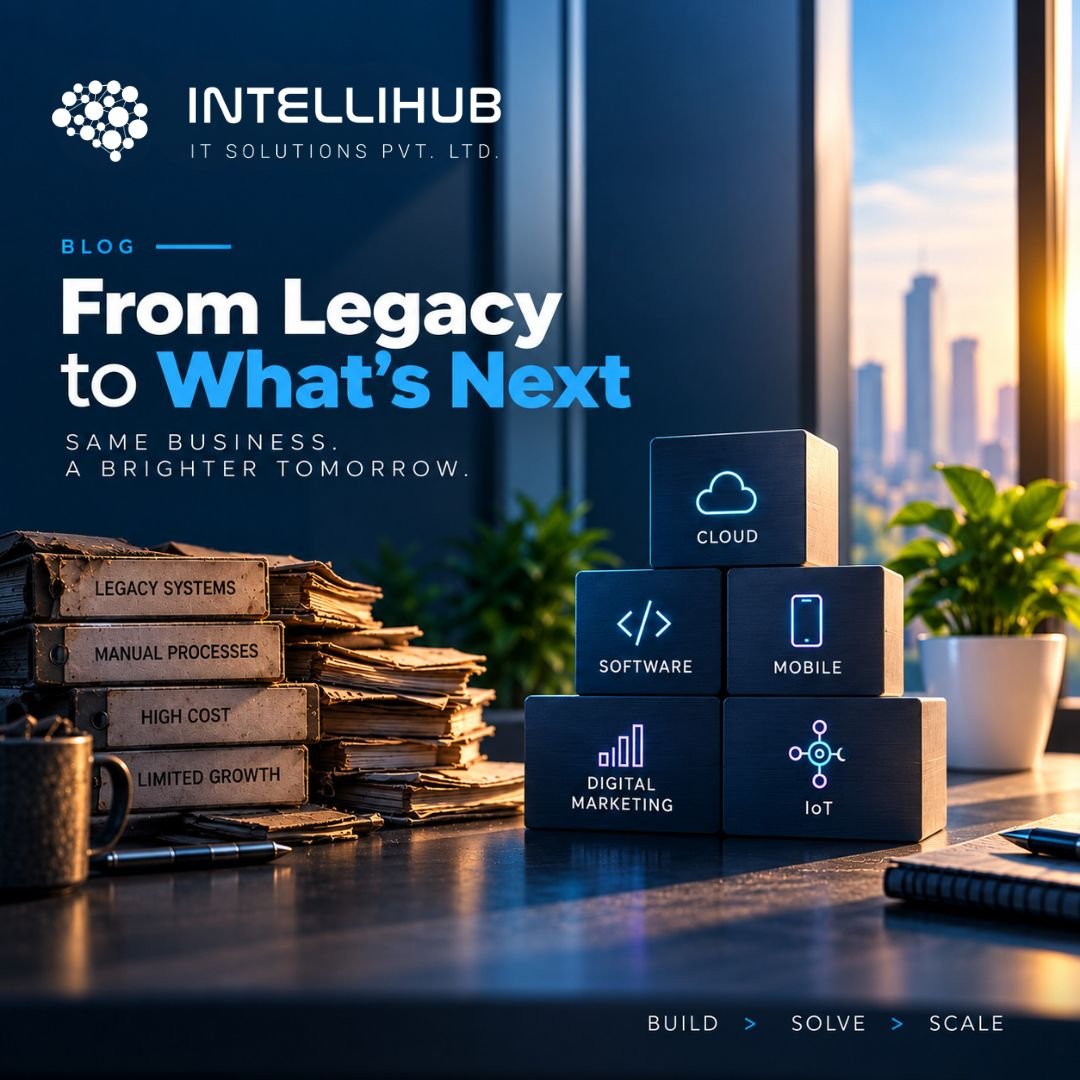
Legacy software modernization becomes important when an aging software system starts creating problems for the business. A system can work perfectly well for years and still become difficult to maintain, integrate, secure, or scale.
The warning signs are often subtle at first. A simple change takes weeks instead of days. New integrations require custom workarounds. A small update creates unexpected issues somewhere else. Only a handful of developers understand how the older system really works. Meanwhile, business teams start relying on spreadsheets and manual processes around software that was supposed to make their work easier.
At that point, the question isn’t simply whether the software is old.
The better question is whether the software still helps the business move forward.
That is where legacy software modernization comes in. Modernization can involve moving an application to the cloud, improving its architecture, updating parts of its codebase, replacing selected components, or rebuilding an application that can no longer support current requirements.
The right approach depends on the system, business objectives, technical risks, and the cost of leaving things as they are.
Most importantly, modernization does not always mean starting from scratch.
A practical modernization strategy begins by understanding what you already have, identifying what is holding the business back, and then deciding what should change — and what should remain.
This guide explains how to approach that process systematically, from the initial assessment through implementation and long-term improvement.
What Is Legacy Software Modernization?
Legacy software modernization is the process of updating an existing application, system, or technology environment so it can better support current and future business requirements.
That might involve changing the underlying infrastructure, improving application architecture, updating the codebase, introducing APIs, moving workloads to the cloud, strengthening security, or replacing specific components.
Modernization is therefore not one particular type of technology project.
For one business, it might mean moving an existing application from an aging server environment to the cloud. Another company may need to break a tightly coupled application into more manageable services. A third business might discover that only one critical module needs to be rebuilt while the rest of the platform can continue operating as it is.
This is why a good modernization project starts with assessment rather than technology selection.
For a deeper look at modernization assessment, AWS provides guidance on evaluating application readiness before modernization.
The goal isn’t to make software look newer.
The goal is to make the system more maintainable, secure, scalable, and capable of supporting the business.
When Does Software Become “Legacy”?
There is no universal age at which software suddenly becomes legacy.
An application can be ten years old and still be stable, maintainable, and valuable. Another application can become a serious operational problem much sooner if it is difficult to maintain or cannot adapt to changing business needs.
Instead of looking at age alone, look at the problems the system creates.
Common warning signs include:
- Slow development cycles — Small changes require significant development effort because the codebase is difficult to understand or modify.
- Integration problems — Connecting the application with newer CRM, ERP, payment, analytics, or third-party systems requires increasingly complex workarounds.
- Security concerns — Older frameworks, dependencies, or infrastructure may make security updates harder to implement.
- Limited scalability — The application struggles as users, transactions, data, or integrations increase.
- High maintenance costs — A growing percentage of development effort goes into maintaining existing functionality instead of improving the product.
- Knowledge dependency — Only a small number of people understand the system well enough to make significant changes.
- Manual workarounds — Employees increasingly depend on spreadsheets, exports, duplicate data entry, or processes outside the main system.
- Difficulty introducing new capabilities — A business requirement that should be straightforward becomes a major technical project.
When several of these problems appear together, the issue isn’t simply that the software is old. The technology has started creating business friction.
Why Choose Legacy Software Modernization?
The business case for modernization usually goes beyond technology.
A modernized system can make it easier to release features, integrate with other platforms, scale operations, and improve security. It can also reduce the amount of time teams spend working around limitations in an older system.
Modernization should connect directly to measurable business objectives.
For example:
- Reduce the time required to release new features
- Improve application performance
- Support more users or transactions
- Connect with newer business platforms
- Reduce manual processes
- Improve security
- Make maintenance easier
- Prepare the system for future products or services
The key is to define what success looks like before deciding which technology to use.
If the business cannot explain why the system needs to change, the modernization project can quickly turn into an expensive technology exercise.
The 6-Step Legacy Software Modernization Framework
A practical approach is to move through six stages:
ASSESS → PRIORITIZE → CHOOSE → MODERNIZE → VALIDATE → SCALE
Each stage answers a different question.
1. Assess the Existing System
Before changing anything, understand what you already have.
This means looking at more than the source code.
An effective assessment should consider:
- Application architecture
- Codebase condition
- Databases
- Infrastructure
- Integrations
- APIs
- Security
- Dependencies
- Deployment process
- Testing
- Documentation
- Business-critical workflows
- Known performance issues
It is also important to speak with the people who actually use the system.
Technical documentation may explain how an application is supposed to work. Business users can often explain how it really works.
Older applications frequently contain business rules that aren’t obvious from the code or documentation. A modernization project that ignores those rules can accidentally remove functionality the business depends on.
The assessment stage should produce a clear picture of:
What works → What doesn’t → What is risky → What is valuable → What needs to change
2. Prioritize What Actually Needs Modernization
Once the system has been assessed, decide where to focus.
Not every component deserves the same level of investment.
One useful way to prioritize applications or modules is to consider four factors:
Business value — How important is the component to revenue, operations, or customers?
Technical risk — How difficult is it to maintain, secure, or operate?
Cost of change — How much effort would modernization require?
Future requirements — Will the component need to support significant growth, integrations, or new capabilities?
A high-value application with high technical risk and major future requirements may be an obvious modernization candidate.
Meanwhile, a stable internal application with little business impact may not need major changes at all.
This prevents a common mistake: modernizing everything simply because everything is old.
3. Choose the Right Modernization Strategy
Once priorities are clear, choose the appropriate path.
Rehost
Move the application to a new infrastructure environment with minimal changes.
Replatform
Move the application to a newer platform while making selected changes to improve its operation.
Refactor
Improve the internal structure of the existing application without fundamentally changing what it does.
Rearchitect
Change the underlying architecture when the current architecture limits scalability, integration, or future development.
Rebuild
Create a new application when the existing system is no longer practical to evolve.
Replace
Move away from the existing application in favor of another suitable platform or solution.
Retain
Sometimes the correct modernization decision is not to modernize a particular component yet.
Choose the modernization strategy based on the problem—not based on the technology trend of the moment.
Cloud Migration Is Not the Same as Software Modernization
Moving a legacy application to the cloud can be an important part of modernization, but the two terms are not interchangeable.
Moving an old application to cloud infrastructure may solve an infrastructure problem. However, if the application still has tightly coupled components, difficult deployments, outdated dependencies, poor observability, or limited integration capabilities, the underlying application problems may remain.
Cloud can provide a foundation for modernization, but putting an old application in a new environment does not automatically make its architecture modern.
The right question is:
What should the cloud migration accomplish for the business?
Sometimes the answer is simply better infrastructure. In other cases, migration can be combined with application refactoring, API development, containerization, improved deployment automation, or architectural changes.
How to Approach Legacy Software Modernization Without Disrupting the Business
A technically successful migration can still become a business failure if customers cannot use the application, employees lose access to important information, or critical data is compromised.
A practical sequence is:
Map → Isolate → Pilot → Test → Migrate → Monitor → Expand
Map
Understand dependencies and identify which systems connect to the application.
Isolate
Separate modernization work from unrelated business-critical components where possible.
Pilot
Start with a controlled module, workflow, or application instead of immediately changing everything.
Test
Validate functionality, performance, security, integrations, and data.
Migrate
Move the modernized component into production using a controlled rollout.
Monitor
Watch application behavior and business metrics after deployment.
Expand
Once the approach has been validated, apply the lessons to additional components.
This phased approach reduces unnecessary disruption and gives the business opportunities to learn before making larger changes.
Data Migration Deserves Special Attention
Applications can be rebuilt. Data is harder to replace.
Many modernization projects underestimate how complicated existing data can be.
Over the years, databases accumulate historical records, duplicate information, legacy formats, inconsistent values, old business rules, and relationships between systems.
Before migrating data, establish:
- Which data needs to move?
- Identify what can be archived.
- Determine which data needs cleaning.
- Preserve the relationships that matter.
- How will the migrated data be validated?
A modernization project should never treat data migration as a simple export-and-import exercise.
The business needs confidence that the new system contains the information it needs and that important records have not been lost or altered incorrectly.
What Role Does AI Play in Legacy Software Modernization?
AI is increasingly becoming part of software development and modernization workflows.
It can assist teams with:
- Code analysis
- Documentation
- Dependency discovery
- Test generation
- Code transformation assistance
- Identifying patterns in large codebases
- Developer productivity
This can be particularly useful when dealing with large legacy applications where documentation is incomplete or the codebase contains years of accumulated complexity.
However, AI should remain an assistance layer rather than an autonomous modernization decision-maker.
AI can help identify what exists in a codebase. It cannot independently determine which business processes are essential, which risks the organization is willing to accept, or whether rebuilding a system is commercially sensible.
The strongest approach combines:
AI-assisted analysis + experienced engineering judgment + business validation + rigorous testing
How Much Does Legacy Software Modernization Cost?
There is no meaningful universal price for legacy software modernization.
Two applications with similar numbers of users can have completely different modernization requirements.
Cost can be influenced by:
- Size and complexity of the application
- Codebase condition
- Architecture
- Number of integrations
- Database complexity
- Data migration requirements
- Security requirements
- Compliance requirements
- Cloud infrastructure
- Testing requirements
- Desired modernization strategy
- Required availability during migration
- Post-launch support
Instead of asking only, “How much will modernization cost?”, businesses should also ask:
“What will it cost us to continue operating the current system for the next three to five years?”
That comparison produces a much more useful business case.
How to Build the Business Case for Legacy Software Modernization
Modernization investment should be evaluated against measurable outcomes.
Consider the current cost of:
Maintenance — How much development capacity is spent keeping the existing system operational?
Downtime — What does an outage cost in lost productivity, transactions, or customer trust?
Manual work — How many hours are spent compensating for system limitations?
Slow development — How much business opportunity is lost because new capabilities take too long to deliver?
Security exposure — What is the business impact of running unsupported or difficult-to-update technology?
Integration limitations — How much does it cost to maintain workarounds instead of connecting systems properly?
Developer dependency — What happens if the few people who understand the legacy system leave the organization?
The business case becomes stronger when modernization is connected to these operational realities rather than presented simply as a technology upgrade.
Common Legacy Software Modernization Mistakes
1. Rewriting everything at once
A complete rewrite can create a long period where the business pays for both the existing system and new development.
2. Starting with technology
Choosing a cloud platform, architecture, or programming language before understanding the business problem can lead to unnecessary complexity.
3. Ignoring undocumented business logic
Existing applications may contain years of business rules that aren’t documented elsewhere.
4. Underestimating data migration
Data should have its own assessment, validation, and testing process.
5. Treating QA as the final step
Testing should happen throughout modernization rather than being left until the end.
6. Ignoring integrations
CRM, ERP, payment systems, analytics platforms, identity providers, and third-party services may all depend on the system.
7. Stopping after deployment
Monitoring, optimization, security updates, and ongoing support are part of maintaining the modernized environment.
When Should You Refactor, Rebuild, or Replace?
Refactor when the existing application provides valuable functionality and its core architecture can still support the business after improvement.
Rebuild when the existing architecture and codebase are fundamentally preventing the business from meeting its requirements.
Replace when a reliable existing product or platform can provide the required capabilities more effectively than continuing custom development.
Retain when the application remains stable, secure, maintainable, and fit for purpose.
There is no prize for choosing the most technically ambitious option.
The right modernization strategy is the one that delivers the required business outcome with an acceptable level of cost and risk.
A Practical 90-Day Legacy Modernization Roadmap
Days 1–30: Assess
Document applications, architecture, dependencies, integrations, data, security concerns, business-critical workflows, and maintenance challenges.
Interview both technical and business stakeholders.
Days 31–60: Prioritize and Plan
Rank modernization candidates based on business value, technical risk, cost, and future requirements.
Select the appropriate modernization strategy and define:
- Scope
- Architecture
- Migration approach
- Testing
- Security
- Success metrics
- Rollback plans
Days 61–90: Pilot
Select a manageable component or workflow.
Build or modernize it. Test it. Validate it with users. Measure the outcome.
Then use what you learned to determine how the next phase should be handled.
You don’t need to modernize an entire technology environment in 90 days.
You can, however, use 90 days to create a clear modernization plan and validate the first step.
How to Measure Legacy Software Modernization Success
Technical completion isn’t enough.
Depending on the project, useful measures may include:
- Deployment frequency
- Release time
- Application performance
- Availability
- Error rates
- Development effort
- Maintenance effort
- Infrastructure cost
- Security findings
- Integration reliability
- User productivity
- Customer experience
The exact metrics will vary by organization.
The principle doesn’t: measure whether modernization actually improved the problem that caused you to start the project.
Legacy Software Modernization Checklist
Business
☐ Business problem to solve
☐ Processes that depend on the existing system
☐ Potential impact if modernization fails
Technology
☐ Current architecture and its limitations
☐ Components that are difficult to maintain
☐ Integrations and dependencies
☐ Main security risks
Data
☐ Data that must be migrated
☐ Data that can be archived
☐ Data that needs cleaning
☐ Data migration validation
Strategy
☐ Modernization strategy: retain, rehost, replatform, refactor, rearchitect, rebuild, or replace
☐ Whether modernization can happen in phases
☐ What should be modernized first
Delivery
☐ System testing requirements
☐ Rollback plan
☐ Downtime management
☐ Validation ownership
Long Term
☐ New environment monitoring
☐ Ongoing maintenance responsibility
☐ Future change management
☐ Additional modernization phases
Final Thoughts: Modernization Should Create Business Freedom
Legacy software modernization isn’t really about making an old application look new.
It’s about removing the technology constraints that prevent a business from changing.
Sometimes that means moving infrastructure to the cloud. Sometimes it means refactoring a critical application. In other situations, it means introducing APIs around an existing system. A business may also decide that rebuilding a core platform makes more sense.
And sometimes the smartest decision is to leave a stable component alone.
The important part is making that decision deliberately.
A successful modernization strategy connects business goals, application architecture, data, security, development, and operations instead of treating them as separate projects.
Start by assessing what you have. Prioritize what actually matters. Choose the right modernization path. Make changes in controlled stages. Validate the results. Then scale what works.
That approach gives businesses something more valuable than newer software.
It gives them a technology environment that is easier to change as the business grows.
How Intellihub Can Help
Modernizing an existing system often requires more than development alone.
It can involve architecture, cloud infrastructure, APIs and integrations, DevOps, QA, security, deployment, and ongoing support.
Intellihub’s technology capabilities span these areas, allowing modernization work to be approached as a connected technology initiative rather than an isolated coding project.
If your existing software is becoming difficult to maintain, integrate, or scale, the first step doesn’t have to be a complete rebuild.
Start with an assessment. Understand what is holding the system back, identify what should change, and build a modernization roadmap around your actual business requirements.